
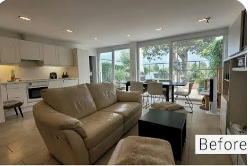
Buyers decide in seconds. Before they read the description, check the square footage, or look at the price, they scroll past a thumbnail and either stop or keep moving. A dim living room or a gray sky can quietly cost a listing hundreds of clicks. That is why real estate photo enhancement has moved from a nice extra to a core part of modern property marketing. This guide explains what it involves, which tools help, and where to draw the line between polished and misleading.
Why Listing Photos Carry So Much Weight
For most buyers and renters, the search begins online. The first photo works as a storefront window, and the rest of the gallery builds the case for a showing. Bright, balanced, well-composed images signal a well-kept property and a professional agent. Weak images do the opposite, even when the home itself is excellent.
Good photography matters, but even skilled shooters face difficult conditions: mixed lighting, small rooms, harsh windows, and overcast days. Enhancement closes the gap between what the camera captured and what the eye actually saw.
What Real Estate Photo Enhancement Includes
Exposure and Brightness Correction
Interiors are notoriously tricky. Expose for the room and the windows blow out to white. Expose for the view and the room turns murky. Enhancement balances both, often by blending several exposures.
Color Balance and White Correction
Warm bulbs can tint walls yellow, while daylight can cast blue. Correcting color keeps white walls white and wood floors looking natural.
Perspective and Lens Distortion Fixes
Wide-angle lenses make vertical lines lean and rooms appear warped. Straightening them gives spaces a clean, architectural feel.
Sky and Exterior Improvement
A flat gray sky can be brightened or replaced. Lawns can be color-corrected to look healthy, and exterior lighting can be balanced for twilight shots.
Noise Reduction and Sharpening
Dim interiors often produce grainy shots. Denoising and careful sharpening restore crisp texture in fabrics, cabinetry, and flooring.
Removing Distractions
Cables, trash bins, cars, and stray clutter can be cleaned up so attention stays on the property itself.
The Role of an AI Image Enhancer
An AI image enhancer speeds up much of this work. Instead of adjusting every slider by hand, the software analyzes the photo and applies corrections based on patterns learned from large image libraries. It can brighten dark rooms, reduce grain, upscale small files, and rebalance color in seconds.
Where AI Helps Most
- Volume work: Agents handling many listings can process whole galleries quickly.
- Rescue jobs: A phone photo taken in poor light can be made usable.
- Resolution upgrades: An AI image enhancer can enlarge older or smaller files for print flyers and banners.
- Consistency: Applying a similar look across all images makes a listing feel cohesive.
Where Human Judgment Still Wins
Automatic tools can overdo contrast, create strange textures, or misread colors. Always review each result at full size, paying close attention to edges, windows, and fine patterns.
Ethics: Enhancement vs. Misrepresentation
This is the most important line in the entire process. Enhancement should make a home look the way it genuinely looks on a good day. It should not hide defects or invent features.
Generally acceptable:
- Correcting exposure, color, and lens distortion
- Reducing noise
- Removing temporary clutter or a parked car
- Brightening a dull sky
Risky or misleading:
- Erasing stains, cracks, or damage
- Altering room size or removing power lines that remain visible in person
- Adding views, furniture, or landscaping that do not exist without clear labeling
Disclose virtual staging when it is used, and check local regulations and your listing platform’s rules. Misleading images can lead to lost trust, complaints, and legal trouble.
A Practical Workflow for Better Listings
- Shoot with enhancement in mind. Use a tripod, turn on all lights, and capture bracketed exposures.
- Shoot in RAW when possible. More data means more flexibility.
- Apply core corrections first. Fix exposure, color, and perspective before anything else.
- Use an AI image enhancer for cleanup. Let it handle noise, resolution, and quick polish.
- Review at 100%. Zoom in to catch artifacts.
- Keep the originals. Store unedited files in case questions arise.
- Stay consistent. Match tone and style across the gallery.
Choosing Between DIY and a Professional Editor
Doing it yourself works for basic fixes and tight budgets. Professional editors offer fast turnaround, nuanced blending, and reliable consistency, which pays off on high-value listings. Many agents mix both: AI tools for routine images, experts for hero shots and luxury properties.
Conclusion
Strong real estate photo enhancement does not trick buyers. It removes the technical barriers between a good home and a good first impression. Combine thoughtful shooting, sensible edits, and a capable AI image enhancer, then review everything with an honest eye. When the photos match the reality buyers find at the front door, you earn the one thing no filter can create: trust.