
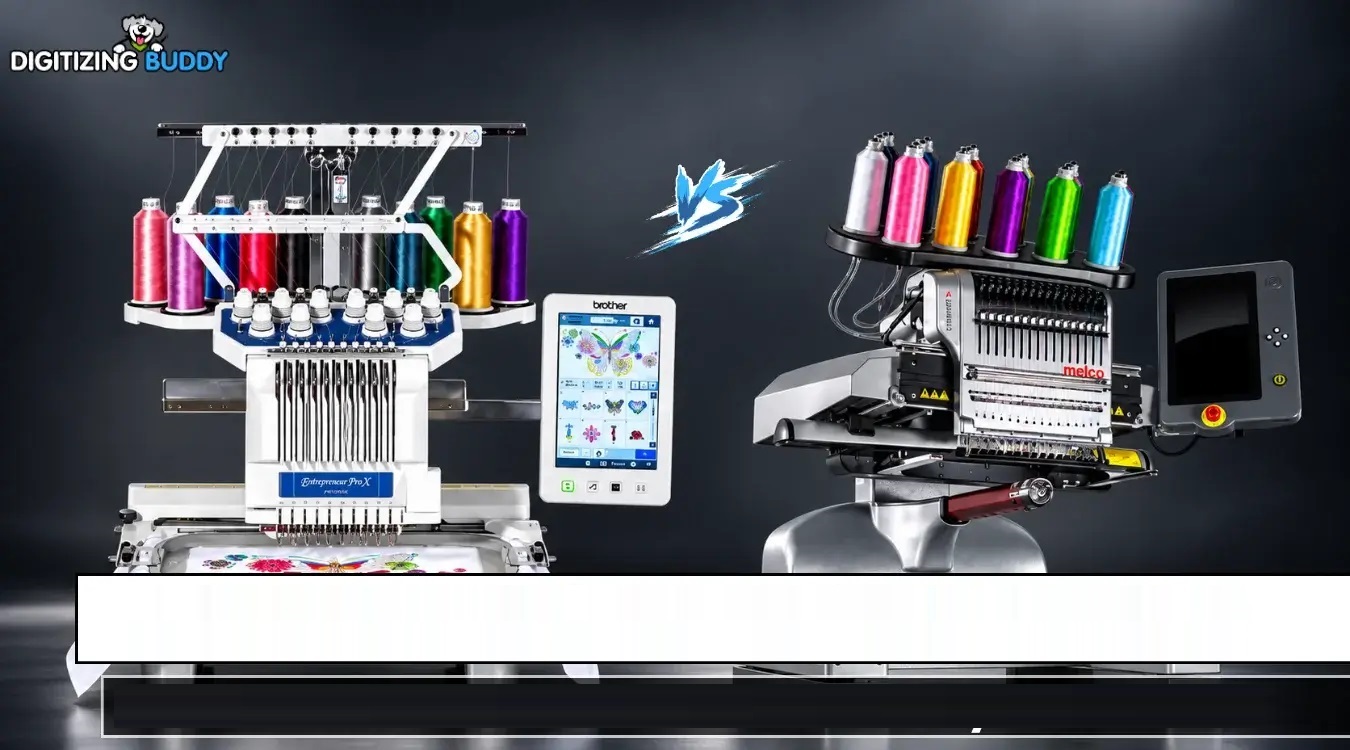
Choosing an embroidery machine is not just about counting needles or looking at the maximum stitch speed. The right machine should fit your workload, design needs, workspace, budget, and long-term business plans.
This Melco and Brother embroidery machine comparison looks at the key factors that matter before investing in an embroidery machine. Instead of focusing only on specifications, we will explore workflow, embroidery quality, production needs, file compatibility, ease of use, and scalability.
For businesses that also need clean embroidery files, Digitizing Buddy can help prepare designs that are properly digitized for machine embroidery.
Melco and Brother Embroidery Machine Comparison at a Glance
When comparing embroidery machines, it helps to look beyond the brand name.
Important areas include:
- Embroidery speed
- Number of needles
- Sewing field
- Hoop compatibility
- Thread management
- File format support
- Design positioning
- Ease of operation
- Maintenance
- Production volume
- Machine scalability
- Available support and accessories
Melco’s current commercial lineup includes machines with 16 needles, automatic thread tension, automatic trimming, laser positioning, and commercial-oriented workflow features. Some models can operate at speeds of up to 1,500 stitches per minute.
The exact specifications of any competing machine can vary by model, so buyers should always compare the specific machines they intend to purchase rather than relying only on brand-level comparisons.
Understanding the Main Difference in Machine Use
One of the biggest questions is simple: What do you plan to embroider?
A hobby user may need a machine for occasional names, monograms, patches, or small designs. A commercial embroiderer may need equipment capable of handling repeated orders throughout the day.
That difference changes what matters most.
For Home and Small-Scale Embroidery
A smaller operation may care more about:
- Easy setup
- Simple controls
- Compact size
- Reasonable operating costs
- Convenient hooping
- Straightforward design transfer
If your orders are limited, purchasing a highly automated commercial system may not be necessary.
For Commercial Embroidery
Commercial users generally need more production-focused features.
These can include:
- Faster stitch speeds
- Larger sewing areas
- Multiple needles
- Automatic thread control
- Easy design positioning
- Reliable trimming
- Flexible hoop options
- Network connectivity
- Production automation
Melco’s commercial systems, for example, include automatic thread tension technology and network-based production options. Its EMT16X can be connected with other machines as part of a modular production setup.
Embroidery Speed and Production
Speed sounds impressive on a specification sheet, but it should not be the only factor in your decision.
A machine’s maximum stitches-per-minute rating does not mean every design will run at that speed from start to finish. Design complexity, thread changes, trims, color changes, fabric, and machine settings can all affect actual production time.
Current Melco specifications list up to 1,500 stitches per minute for some commercial models.
For a busy embroidery shop, production efficiency may therefore matter more than simply choosing the machine with the highest advertised speed.
What to Consider
Ask yourself:
- How many designs do you stitch each day?
- What is the average stitch count?
- How often do you change thread colors?
- Do you mainly embroider garments, caps, bags, or other products?
- Are you planning to increase production later?
Your answers can tell you more than a single speed number.
Needles and Thread Management
Needle count affects how efficiently you can work with multi-color designs.
A higher needle count allows several thread colors to remain loaded at once. This can reduce manual color changes and make larger or more detailed designs easier to manage.
Melco’s commercial machines listed in its current comparison use 16 needles. The company also highlights automatic thread tension through its Acti-Feed system.
Automatic tension can be especially useful for commercial production because consistent thread control helps reduce the need for repeated manual adjustments.
Still, good digitizing remains important. Even an advanced embroidery machine cannot completely compensate for a poorly prepared design.
Embroidery File Compatibility
File compatibility is another important part of any embroidery machine comparison.
Common machine embroidery formats include:
- DST
- EXP
- PES
- JEF
- VP3
- HUS
- OFM
- Other machine-specific formats
The exact format requirements depend on the machine and its software.
Melco supports several common formats and uses its OFM format for additional design and machine-setting information. Its published specifications also list support for formats such as EXP and DST.
Before buying a machine, check the formats you already use.
If your existing design library contains hundreds of files, format compatibility can save considerable time.
Sewing Area and Hoop Flexibility
The sewing field determines how large a design you can stitch without splitting it into separate sections.
This becomes especially important when working on:
- Jacket backs
- Large logos
- Oversized patches
- Bags
- Uniforms
- Caps
- Promotional products
For example, Melco’s EMT16X is listed with a 16.1-inch by 15.5-inch sewing field, while other models in its current lineup have different maximum areas.
Do not assume that a larger sewing field is always better. If most of your orders involve small chest logos or names, an extremely large field may not provide much practical benefit.
Ease of Use
An embroidery machine can have impressive hardware and still feel difficult to operate.
A good workflow should make everyday tasks simple.
Look for features such as:
- Clear controls
- Easy design loading
- Simple positioning
- Automatic color sequencing
- Straightforward hoop selection
- Helpful maintenance reminders
- Easy access to frequently used settings
Some current Melco systems use touchscreen controls, laser alignment, automated color sequencing, and barcode or QR-based design loading.
These features can become valuable when multiple orders need to be processed quickly.
Machine Automation and Workflow
Modern embroidery is increasingly about workflow rather than simply stitching.
Imagine receiving 30 customer orders in one morning.
You need to:
- Prepare the embroidery files.
- Confirm colors.
- Select the correct hoop.
- Position the design.
- Load the correct garment.
- Start production.
- Repeat the process accurately.
Every unnecessary manual step creates another opportunity for error.
Melco’s intelligent workflow includes features such as automatic thread tension, barcode-based design loading, laser alignment, and automated color sequencing on supported systems.
When comparing machines, think about the entire production process rather than just the sewing mechanism.
Embroidery Quality Depends on More Than the Machine
A common mistake is assuming that an expensive machine automatically creates perfect embroidery.
It does not.
The final result depends on several factors:
- Digitizing quality
- Stitch density
- Underlay
- Pull compensation
- Stitch direction
- Thread type
- Needle selection
- Fabric type
- Stabilizer
- Machine settings
- Hooping technique
A professionally digitized logo can make a major difference in how clean the finished embroidery looks.
This is where Digitizing Buddy can be useful for businesses that need embroidery-ready artwork prepared for their machines.
Maintenance and Long-Term Ownership
Maintenance should also be part of your buying decision.
Regular cleaning, lubrication where required, needle replacement, thread-path inspection, and scheduled servicing can help keep production consistent.
Melco’s current comparison information includes maintenance timers with step-by-step instructions on its listed machines.
Before buying, ask about:
- Warranty coverage
- Local technical support
- Replacement parts
- Training
- Service availability
- Software updates
- Machine maintenance requirements
A machine that fits your budget but is difficult to service may create problems later.
Which Features Matter Most for Your Business?
There is no single feature that matters to every embroidery operator.
If You Mainly Make Small Logos
Prioritize:
- Easy operation
- Reliable thread handling
- Small and medium hoops
- Quick color changes
- Clean lettering
- Good file compatibility
If You Make Hats and Caps
Look closely at:
- Cap frames
- Cap drivers
- Sewing field
- Lower-arm design
- Hoop compatibility
- Positioning features
If You Handle Large Commercial Orders
Consider:
- Production speed
- Automation
- Network connectivity
- Multi-machine capability
- Thread management
- Large sewing fields
- Workflow software
Melco’s commercial platform, for example, supports networked production configurations for businesses that need to expand machine capacity.
Don’t Ignore Embroidery Digitizing
Your machine is only one part of the embroidery process.
A design created for print is not automatically ready for embroidery. It must be converted into stitches with appropriate settings for the fabric and machine.
Professional digitizing considers:
- Stitch types
- Stitch direction
- Density
- Underlay
- Thread sequence
- Pull compensation
- Small details
- Lettering
- Fabric behavior
Poor digitizing can result in thread breaks, puckering, gaps, registration problems, or distorted shapes.
That is why choosing reliable embroidery digitizing services can be just as important as choosing the machine itself.
How to Choose the Right Embroidery Machine
Before making a purchase, use this simple process.
1. Define Your Workload
Estimate how many pieces you expect to embroider each week.
A machine for occasional personal projects may have very different requirements from one used for hundreds of commercial orders.
2. List Your Products
Write down your most common products.
For example:
- T-shirts
- Polo shirts
- Jackets
- Caps
- Bags
- Patches
- Towels
- Workwear
Then check whether the machine supports the hoops and accessories required for those products.
3. Check Your Existing Files
Make a list of the embroidery formats you currently use.
Confirm that the machine and its software can work with those files or provide a practical conversion workflow.
4. Calculate the Total Cost
Do not look only at the machine price.
Consider:
- Hoops
- Cap attachments
- Software
- Thread
- Needles
- Stabilizers
- Maintenance
- Training
- Digitizing
- Shipping
- Service
The total ownership cost gives you a more realistic picture.
5. Think About Future Growth
If you expect your embroidery business to grow, consider whether the machine can support a larger workload.
Scalable systems can be useful when production increases. Some commercial platforms are designed around networked machines and centralized workflow management.
Common Mistakes to Avoid
When comparing embroidery machines, avoid these mistakes:
- Choosing based only on maximum speed
- Ignoring the sewing field
- Forgetting about hoop availability
- Overlooking file compatibility
- Buying without checking service options
- Underestimating digitizing quality
- Focusing only on the initial price
- Choosing features you will rarely use
The best buying decision starts with your actual embroidery work.
FAQs
Is a commercial embroidery machine worth it for a small business?
It can be useful when order volume justifies the investment. If you only complete occasional projects, a smaller setup may be more practical.
Does machine speed guarantee faster production?
No. Maximum stitches per minute is only one part of production speed. Thread changes, trims, design complexity, hooping, and operator workflow also affect total production time.
Why is embroidery digitizing important?
Digitizing converts artwork into stitch instructions. Proper density, underlay, stitch direction, and compensation help the machine reproduce the design more accurately.
What embroidery file format should I use?
The correct format depends on your machine and software. Always check the manufacturer’s supported formats before converting or purchasing embroidery files.
Should I compare specific machine models instead of brands?
Yes. Brand-level comparisons are useful for general research, but model-to-model specifications provide a much more accurate basis for a purchase decision.
Conclusion
A useful Melco and Brother embroidery machine comparison should go beyond brand names and headline specifications. Speed, needles, sewing area, file compatibility, automation, hoops, maintenance, and workflow all deserve attention.
Your ideal machine depends on what you embroider, how often you produce it, and where you expect your business to go.
Most importantly, remember that embroidery quality starts before the machine begins stitching. A properly digitized design, suitable stabilizer, correct thread, and appropriate machine settings all work together to produce a clean final result.
For businesses that want dependable embroidery output, combining suitable equipment with professionally prepared embroidery files can make the entire production process smoother and more consistent.